Create a visual map of your monitored area by drawing your floor plan and placing sensor markers. This helps you quickly identify where activity is detected.
1
About Your Floor Plan
~2 min
The floor plan feature helps you visualize rodent activity in your space. When motion is detected, you will see it highlighted on your map.
Your floor plan will show:
• The layout of your monitored area
• The location of each sensor (A-H)
• Add a feature or two so that when you return, the orientation of the floorplan is apparent.
Don't worry about creating a perfect architectural drawing - a simple representation of your space works great!
Your floor plan will show:
• The layout of your monitored area
• The location of each sensor (A-H)
• Add a feature or two so that when you return, the orientation of the floorplan is apparent.
Don't worry about creating a perfect architectural drawing - a simple representation of your space works great!
Tip: You can always edit your floor plan later if you move sensors or want to add more detail.
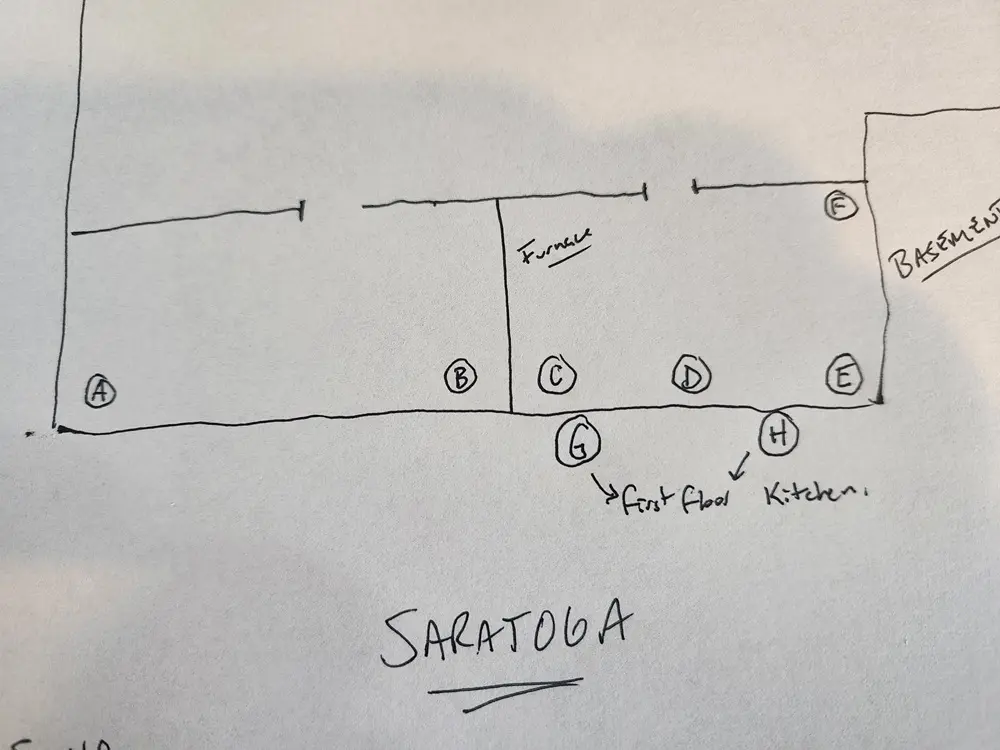
It may be easier to sketch the diagram at the customer site, and enter it later on a computer.
2
Using the Drawing Tools
~3 min
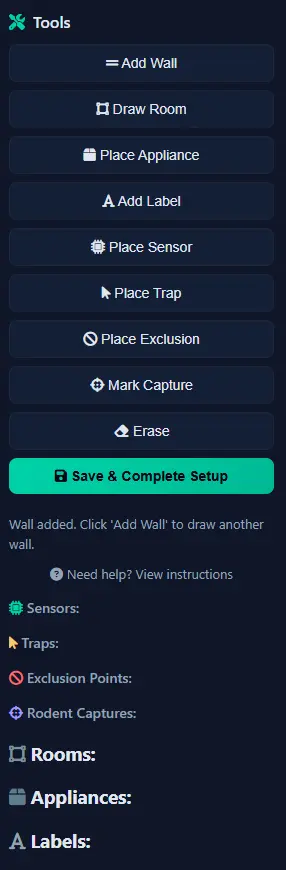
Floor plan drawing toolbar
The floor plan editor provides simple tools to create your layout:
Line Tool: Click and drag to draw walls
Rectangle Tool: Create rooms quickly with a single drag
Text Tool: Add labels for rooms or areas
Eraser: Remove mistakes
Undo: Step back if needed
Start with the outer walls of your space, then add interior walls and major features like appliances or furniture that sensors are near.
Line Tool: Click and drag to draw walls
Rectangle Tool: Create rooms quickly with a single drag
Text Tool: Add labels for rooms or areas
Eraser: Remove mistakes
Undo: Step back if needed
Start with the outer walls of your space, then add interior walls and major features like appliances or furniture that sensors are near.
Tip: Start simple! You can always add more detail later. The important thing is placing sensors in approximately the right locations.
3
Placing Sensor Markers
~3 min
Now add your sensors to the floor plan:
1. Find the sensor markers panel (labeled A through H)
2. Drag each sensor marker to its physical location on your drawing
3. Click a placed sensor to add a location description (e.g., "Behind Refrigerator")
4. Rotate sensors if needed to show detection direction
Make sure each sensor marker matches where you physically placed that sensor. This ensures motion alerts show up in the correct location on your map.
1. Find the sensor markers panel (labeled A through H)
2. Drag each sensor marker to its physical location on your drawing
3. Click a placed sensor to add a location description (e.g., "Behind Refrigerator")
4. Rotate sensors if needed to show detection direction
Make sure each sensor marker matches where you physically placed that sensor. This ensures motion alerts show up in the correct location on your map.
Tip: Use the location descriptions to remind yourself where each sensor is - "Sensor B - Garage Door" is more helpful than just "B".
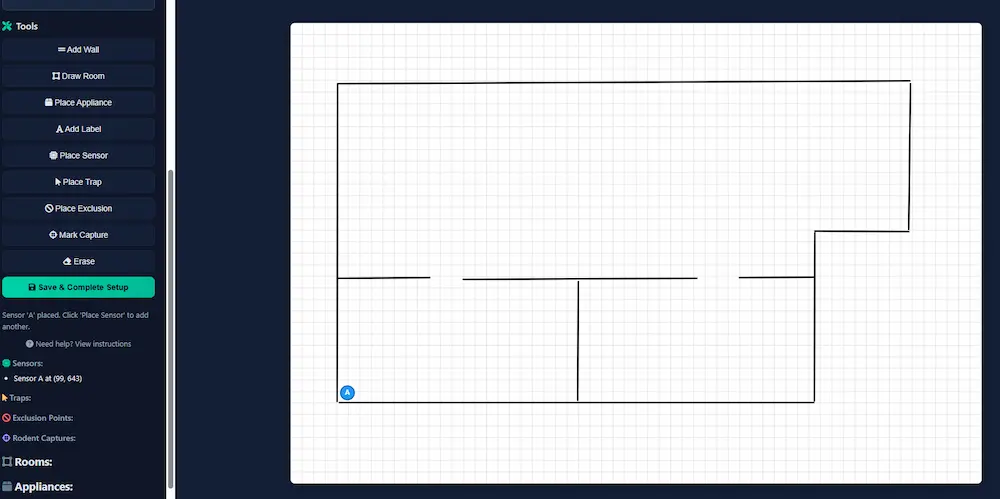
Dragging sensor markers onto floor plan
4
Save and Complete Setup
~10 min
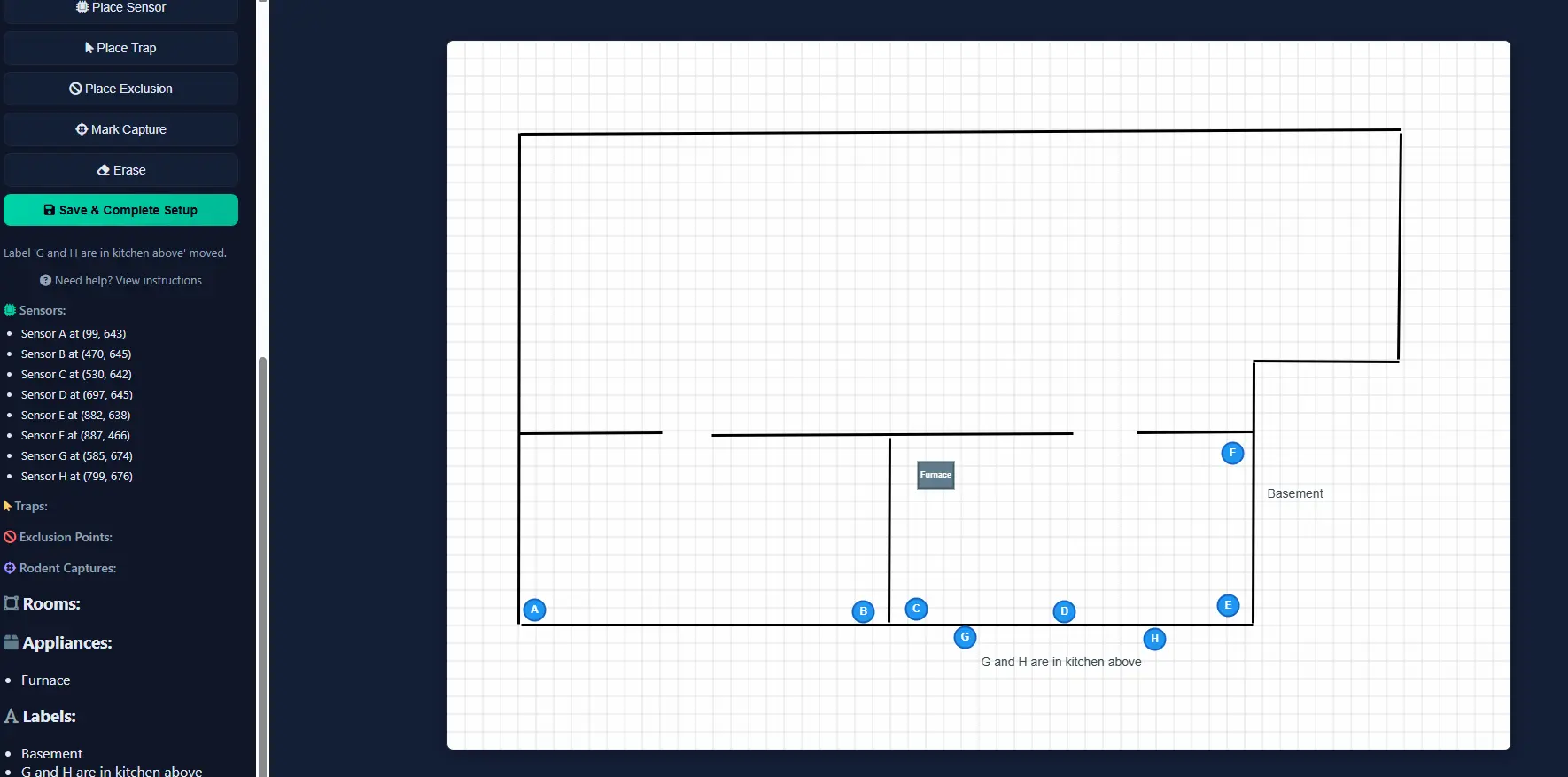
Save button and completion screen
Once you have placed all your sensors on the floor plan:
1. Review your sensor placements - do they match physical locations?
2. Add any final labels or details
3. Click the "Save Floor Plan" button
4. Your setup is complete!
You will be taken to your dashboard where you can monitor activity. Motion events will now appear on your floor plan, making it easy to see exactly where activity is detected.
1. Review your sensor placements - do they match physical locations?
2. Add any final labels or details
3. Click the "Save Floor Plan" button
4. Your setup is complete!
You will be taken to your dashboard where you can monitor activity. Motion events will now appear on your floor plan, making it easy to see exactly where activity is detected.
Tip: Congratulations! Your Rodent Radar system is now fully set up and monitoring for activity.